
Admin Ataka
Let me explain how to back up your data!

Peach Ninja
Wait, isn’t it saved to iCloud?
Admin Ataka
Nope! Just a heads-up, iCloud doesn’t save this data!
Admin Ataka
First, go to the ‘Settings’ screen and select ‘Manual backup.’

Admin Ataka
Then, select ‘Sign in with Google.’
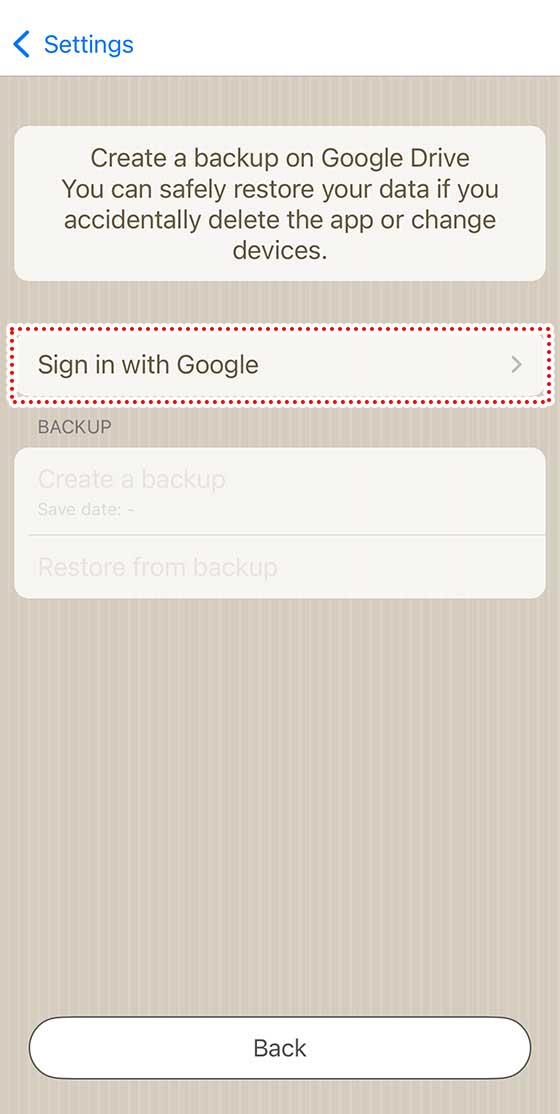
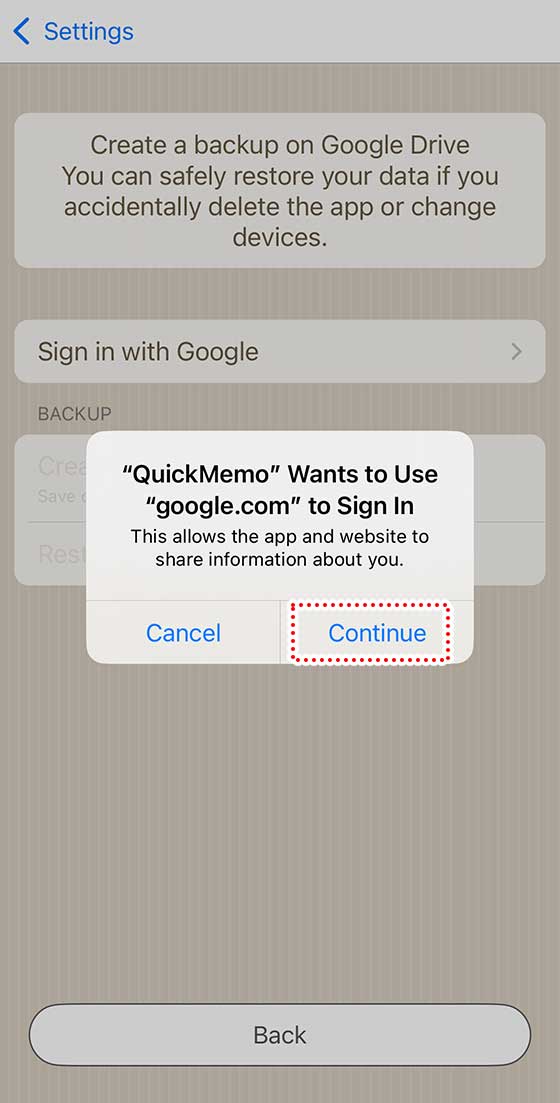
Admin Ataka
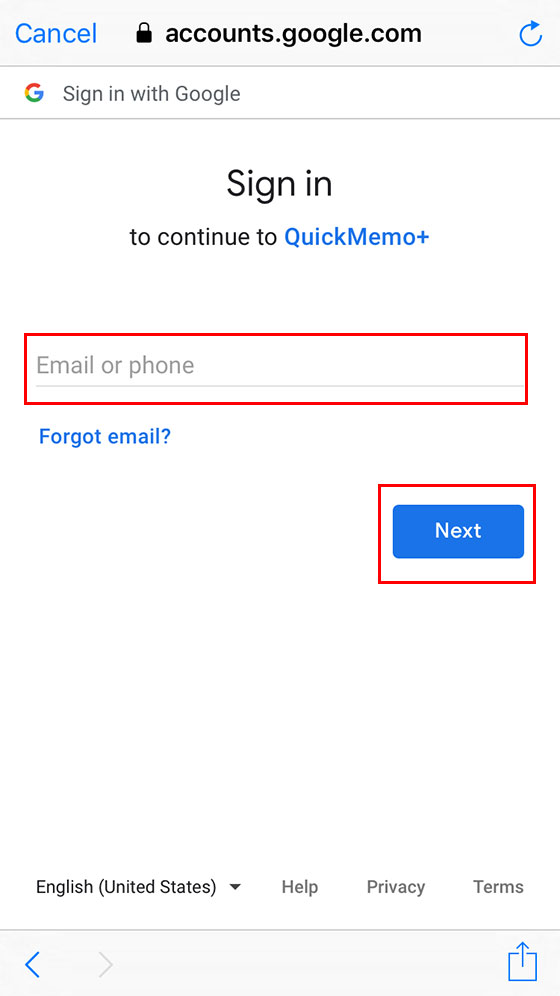
Next, enter your Gmail address and tap ‘Next.‘ (Only Gmail accounts work here.)
Admin Ataka
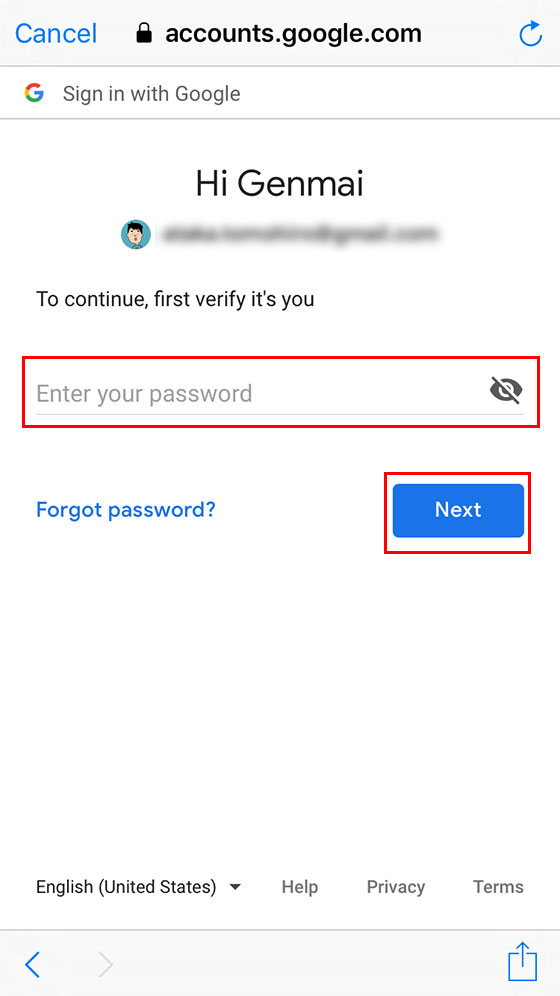
Now, enter your Gmail password and tap ‘Next‘ again.
Admin Ataka
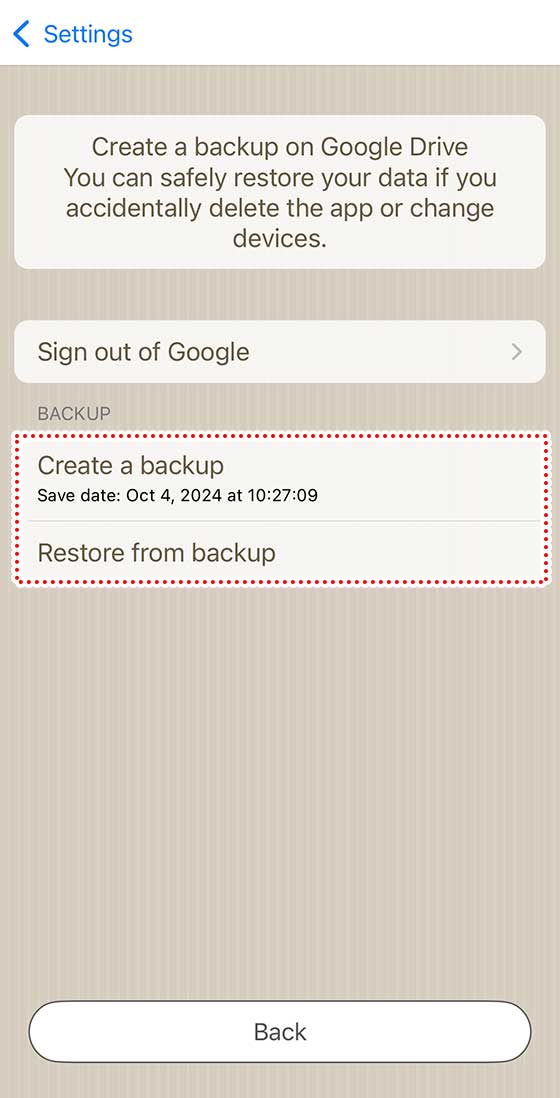
Once you’re signed in, you can press ‘Backup/Restore’ on the settings screen.
Use this feature for emergencies or just in case you need it, or when switching devices.
Use this feature for emergencies or just in case you need it, or when switching devices.
Peach Ninja
Got it!