
Peach Ninja
It’s such a hassle to change the width of a sticky note every time.
I always want it to be narrow!
I always want it to be narrow!

Admin Ataka
No worries! I’ll show you how to set the width from the start!
Admin Ataka
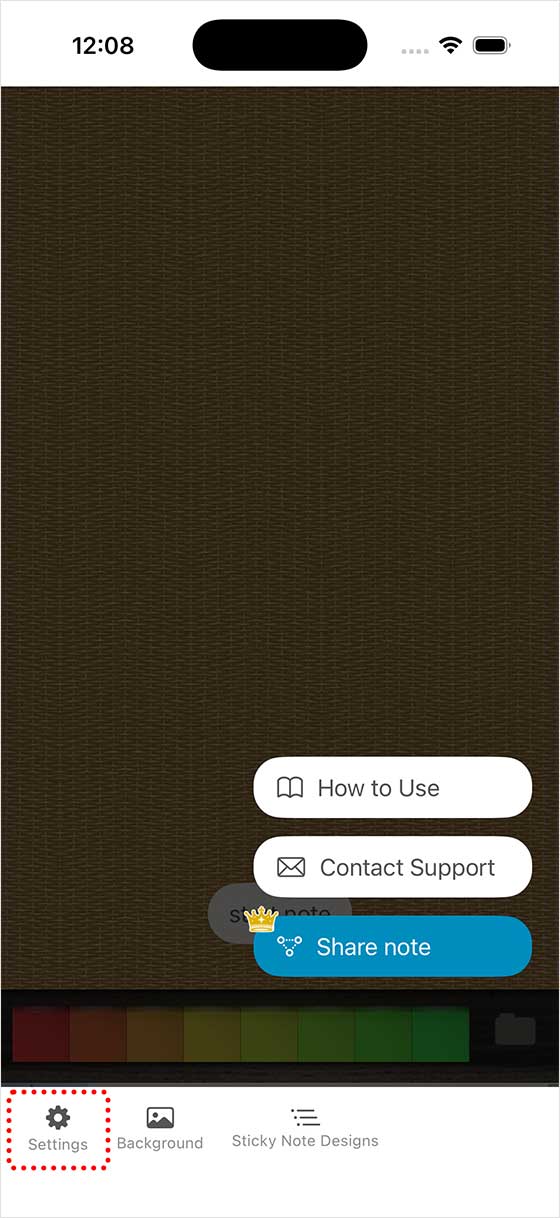
First, tap ‘Settings’ from the menu that pops up when you tap the screen.
Admin Ataka
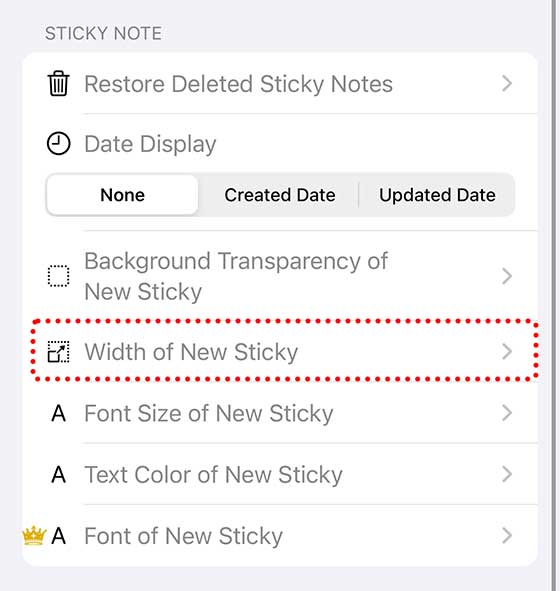
Then, the ‘Settings‘ screen will appear. Scroll down and tap ‘Width of new Sticky note.’
Admin Ataka
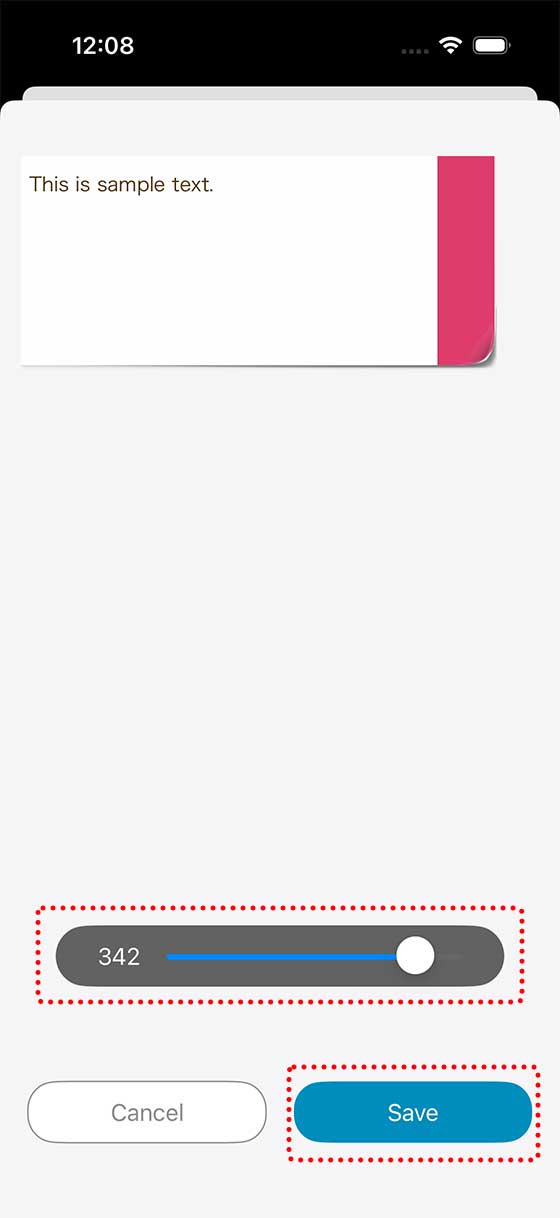
Use the bar at the bottom of the screen to adjust the width by dragging it left or right.
Once you’re done, tap the ‘Save‘ button at the bottom of the screen.
Admin Ataka
Now, whenever you add a sticky note, it’ll start with the width you set!