limit
This feature is available with the following plan.
- Premium Plan

Peach Ninja
I want to make the text on the sticky note a little prettier!

Admin Ataka
Of course, you can do that! It’s super easy.
Just tap the sticky note, and on the edit screen, look for the ‘A’ button. Give it a press, and voilà, a list of fonts will pop up!
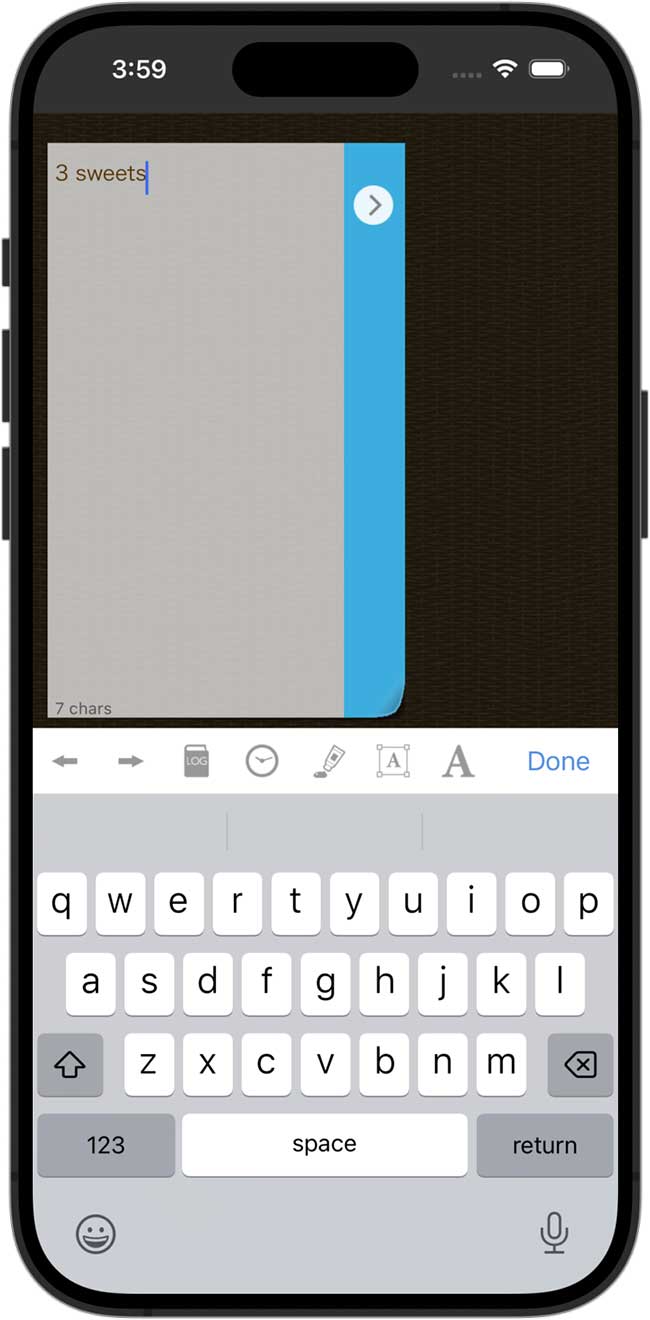

Admin Ataka
Then, you can pick whichever font you like. Have fun with it!
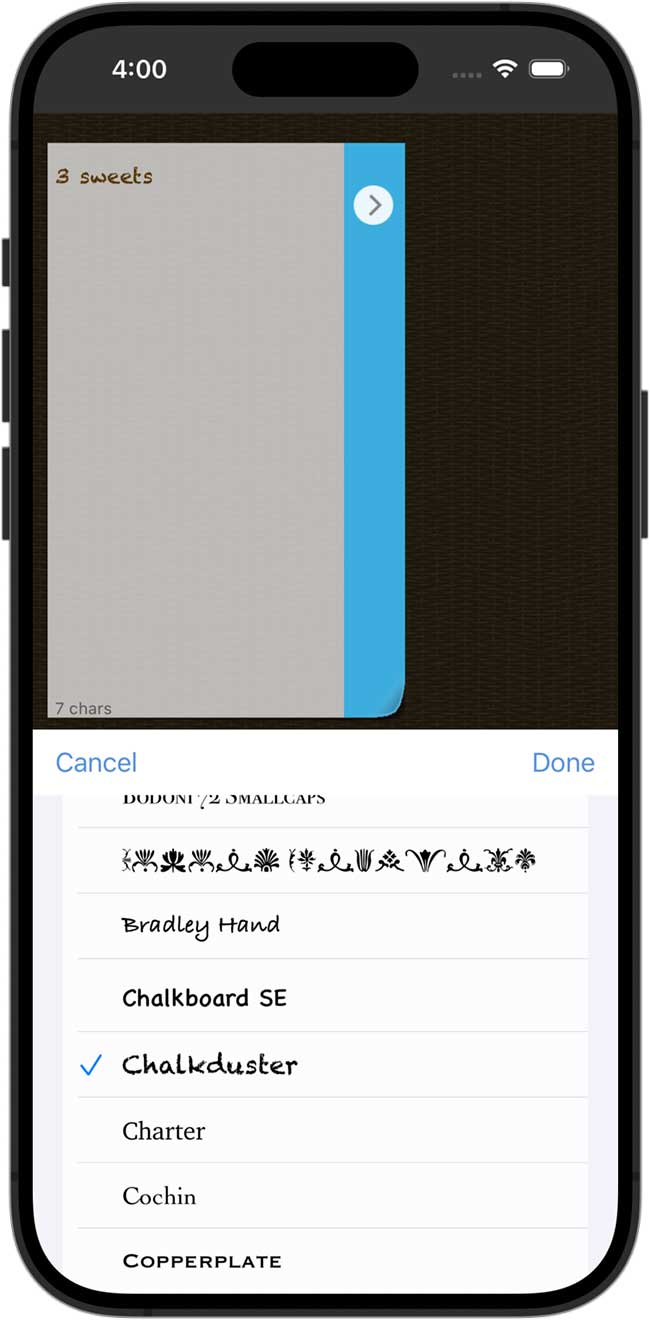

Peach Ninja
Ooh, it’s super cute now!