
Admin Ataka
Let me show you how to set an alarm!

Peach Ninja
I’m ready to use it right now. Please show me!
Admin Ataka
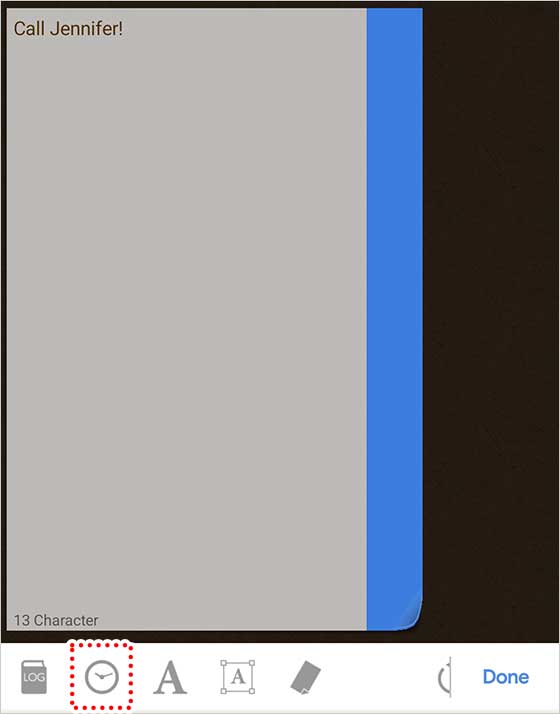
Tap the “Alarm” button on the sticky note editing screen.
Admin Ataka
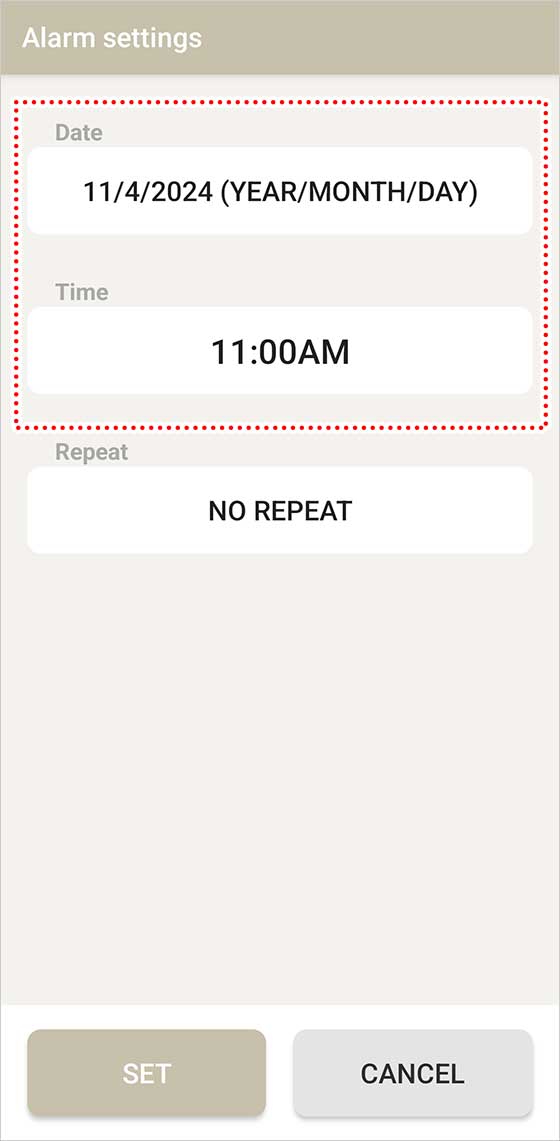
Set the date and time for the alarm, and then press the “Set” button. Your alarm is now ready!
Peach Ninja
Then I can handle it from here!
Admin Ataka
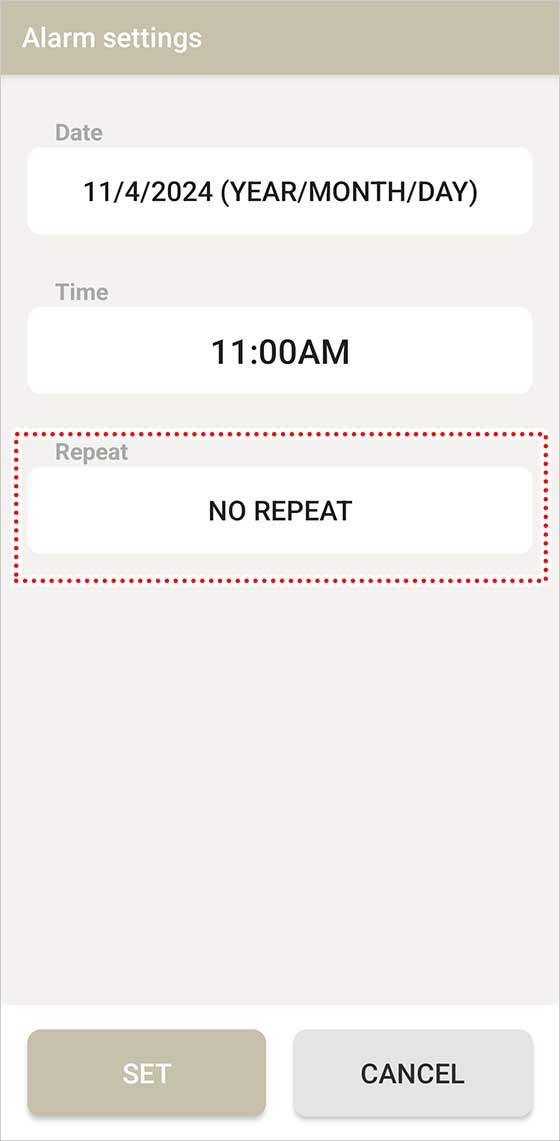
To make the alarm repeat, tap the “Repeat” menu…
Admin Ataka
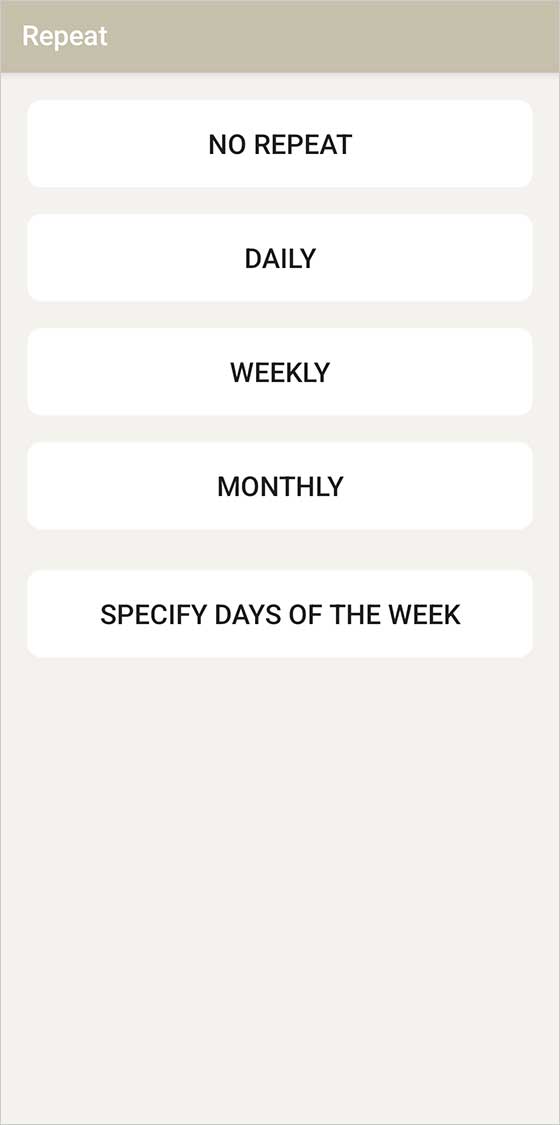
Just select the repeat interval you want, and you’re all set!
Peach Ninja
Perfect! Let’s go!