
Admin Ataka
Let me show you how to rename a ‘Note!’

Peach Ninja
Yes, please!
Admin Ataka
First, tap the ‘Note‘ button at the bottom right of the screen to open the note list.

Admin Ataka
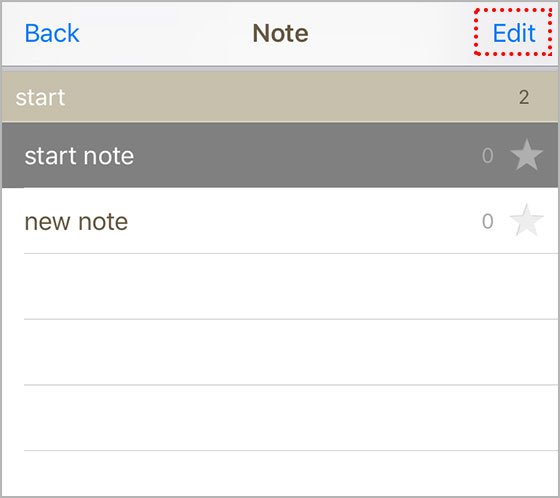
Next, tap the ‘Edit‘ button in the top right corner to enter edit mode.
Admin Ataka
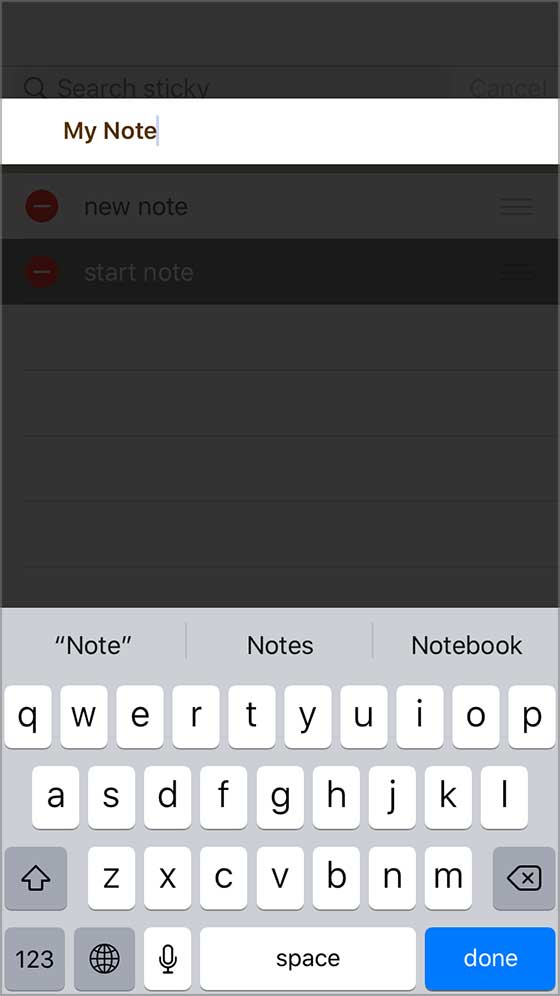
Then, tap the name of the note you want to rename. The name edit screen will pop up, so go ahead and change it.
Admin Ataka
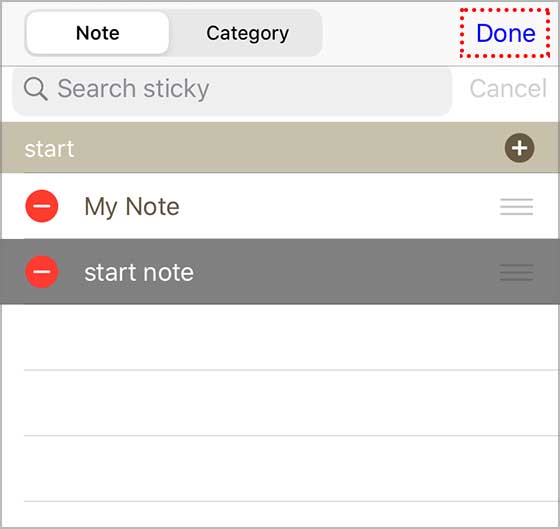
Finally, tap the ‘Done‘ button in the upper right, and you’re all set!
Peach Ninja
Got it!